Always know your next step
Pick a route, or let FLC choose one for your race, faction and level. The guide shows one step at a time; the arrow takes you there.
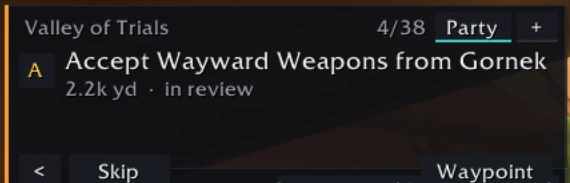
One step, one arrow
Each step says what to do and with what, in your language: "Kill: Mottled Boar", "Loot the object: …", "Accept … from Gornek". Counts update as you play and the step completes by itself. Skip, go back, or put a pin on the map with Waypoint.
- Tested in the game client Step-by-step guide
- Tested in the game client Navigation arrow
Pick any guide
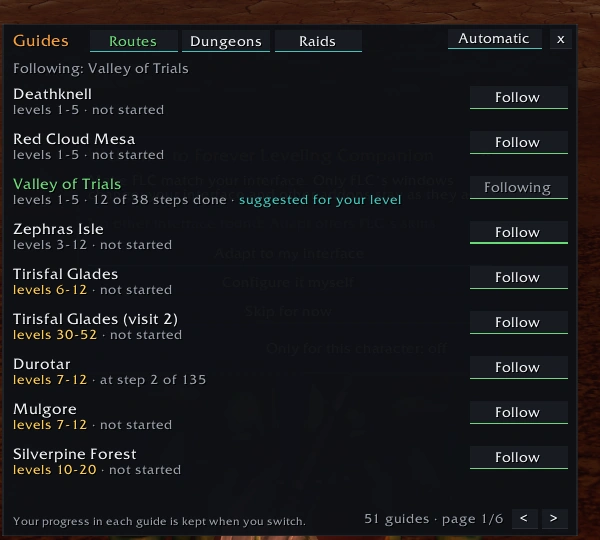
The Guides window (/flc guides) lists the leveling routes by zone and the dungeon and raid guides your character can use, with their levels and how far you got. Follow one, or press Automatic and let FLC choose. Your progress in each guide is kept when you switch.
- Tested in the game client Guides window
Quests accepted and turned in for you
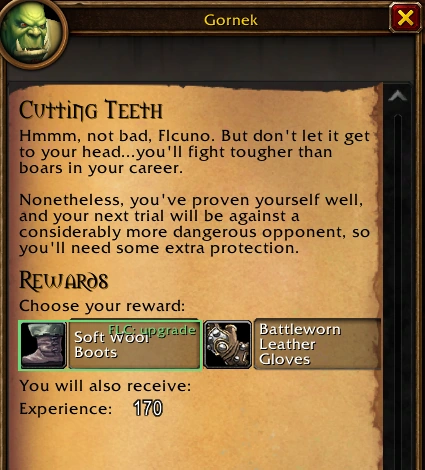
When you talk to a quest giver on your route, FLC accepts and turns in the guide's quests by itself, never in combat and never while you hold Shift. When there is a reward to choose, FLC does not choose: it marks the item that would help you. Turn it off with /flc auto off or in Options.
- Tested in the game client Quests by themselves
When the way is not straight
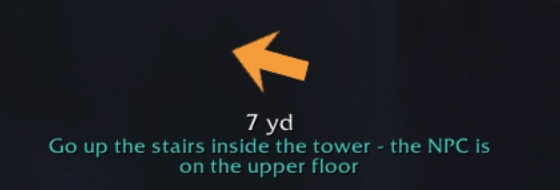
Some quest givers wait on an upper floor, behind a wall or under water. FLC's arrow goes through a few intermediate points and tells you how in one line:
- Go up the stairs inside the tower: the NPC is on the upper floor
- Go round the obstacle
- Follow the path: the straight way is blocked
- It is under water: swim down to it
In review These hints are computed from the game's terrain. They were tested in the client on the Thendal tower in Zephras Isle; the others carry "(in review)" until players confirm them.
Far away? A travel plan
When the next step is on another continent or very far, the arrow points at the first flight master, dock or portal, and the guide shows the whole plan: "Fly from Crossroads to Orgrimmar", "Take the boat at Menethil Harbor to Theramore Isle". It uses the flight paths you know and your Hearthstone when it is ready.
A path from 1 to 60
For each race FLC knows which zone comes next, when to come back to one, and which levels no route covers. You always choose: /flc guide auto picks a route for your level, /flc path prints the whole path.
Leveling modes: Optimized, Dungeons first or Quests only.
The Class Quest Advisor offers the class quests that matter (a pet, a form, a stance, totems, a much better reward): do it now, later, or skip. Your decision is kept per character.
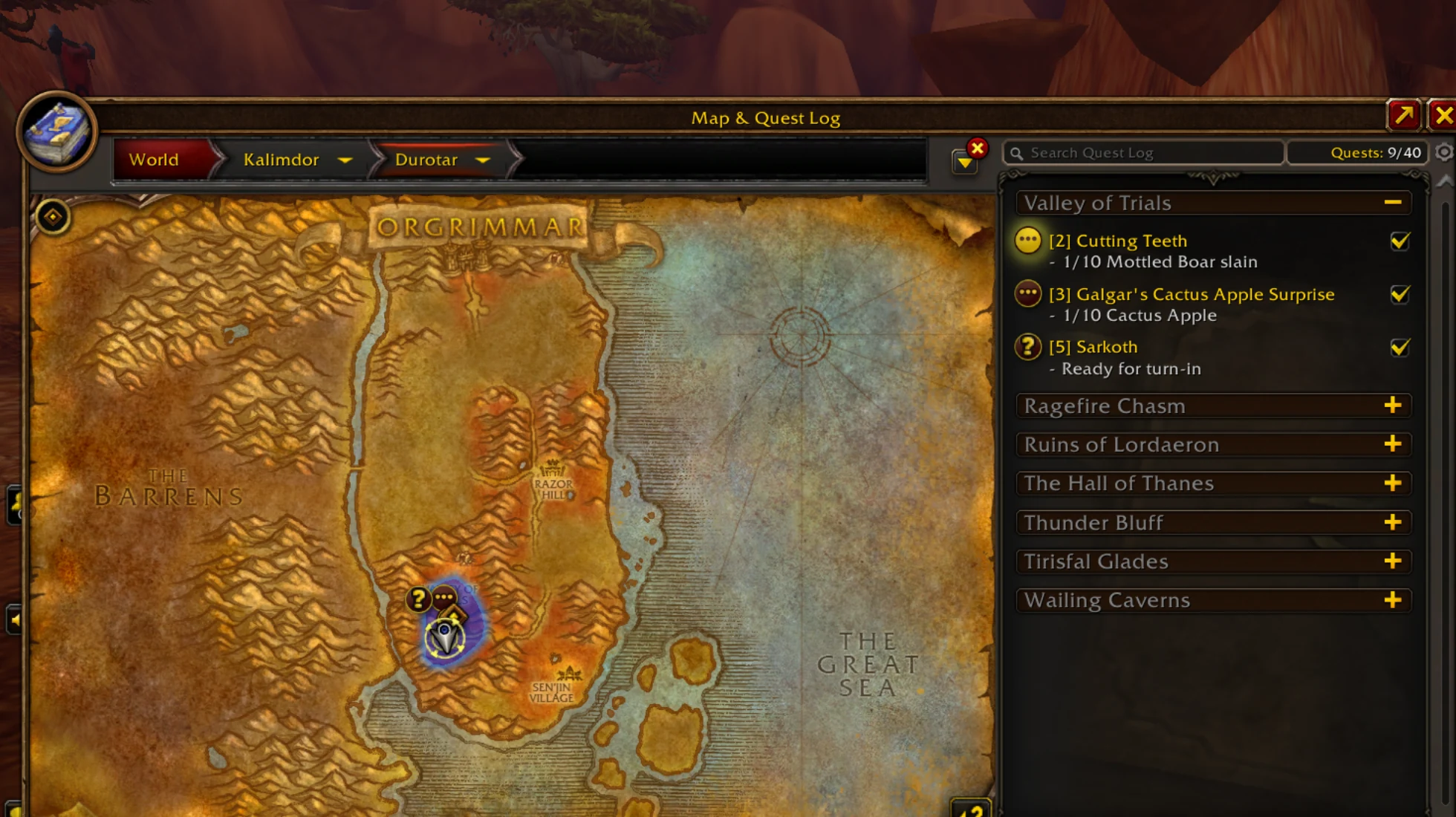
Better together
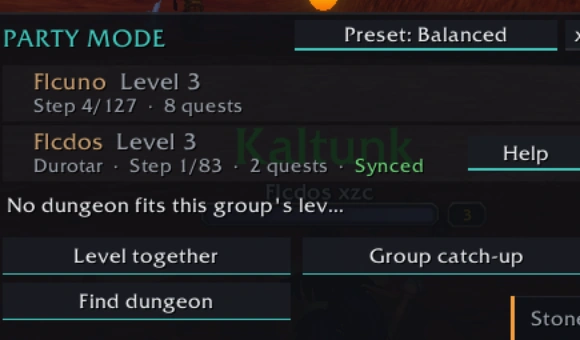
Party Mode works between players in the same group who use FLC and agree to share their quest progress (/flc share yes). Open it with /flc party.
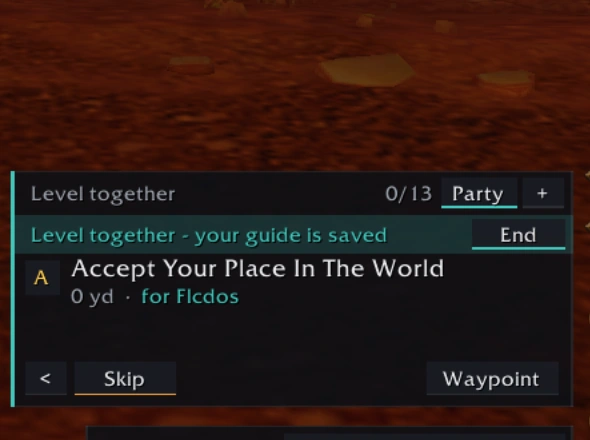
Level Together
The whole group follows one route. Everyone's guide is saved first and comes back intact when you end it.
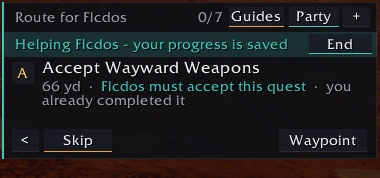
Help a friend
Join a party member's route for a while: kills count for both of you while you are grouped and nearby. Then go back to your own guide.
Catch-Up
Someone fell behind? The group helps them reach the others.
Leader proposals
The leader proposes a route; each member accepts or declines.
After a group forms, a member's progress can take up to about 15 seconds to show.
Commands
| Command | What it does |
|---|---|
/flc | Show or hide the guide |
/flc party | Party Mode panel |
/flc path | Your whole 1–60 path |
/flc guide auto | Pick a route for your level |
/flc share yes | Agree to share quest progress with your group |
/flc announce | Party chat announcements: off, objectives, 25%, 50%, every update |
About the routes
In review Routes by race, class and faction come from development data. The starting zones were walked step by step in the client; nothing has been played on the live realm yet. Steps that are not confirmed say "in review": if the game shows something else, tell us.